

IAM Identity Center decides who can reach every account in your AWS organisation, which makes it the highest value target in the estate. Compromise a single sign-on session with the right permission set and account boundaries stop mattering. Testing it means reading permission sets, session lifetimes and the trust relationship with your identity provider, rather than scanning a host.
Permission sets are where the privilege lives
A permission set is a policy that becomes a role in every account it is assigned to, so a generous one multiplies across your organisation. The pattern we find most often is AdministratorAccess assigned to a group that grew from three engineers to thirty, because adding somebody to the group was the quickest way to unblock them. Read every permission set with the assignment list beside it. Look for wildcards in actions, for iam:PassRole without a resource constraint, and for anything granting the ability to create or modify permission sets, since that last one is the route to granting yourself everything else.
Session duration and the twelve hour problem
Session length is the difference between a stolen token being an incident and being a footnote. The default session lasts one hour, and plenty of organisations extend it to eight or twelve because engineers complained about re-authenticating. That decision is defensible for a low privilege developer role and hard to justify for an administrative one. NIST’s digital identity guidance in SP 800-63B ties session length to the assurance level you need, and the practical version is simple: the more a role can do, the shorter its session should be. Check what the access portal actually issues rather than what the policy document says.
“The break-glass account is where I find the real problem. Everyone builds one, almost nobody tests it, and about half the time it turns out to have console access with a password in a shared vault and no hardware key. If your emergency route into the root account is weaker than your everyday route, you have moved the risk rather than removed it.”
William Fieldhouse, Director, Aardwolf Security Ltd
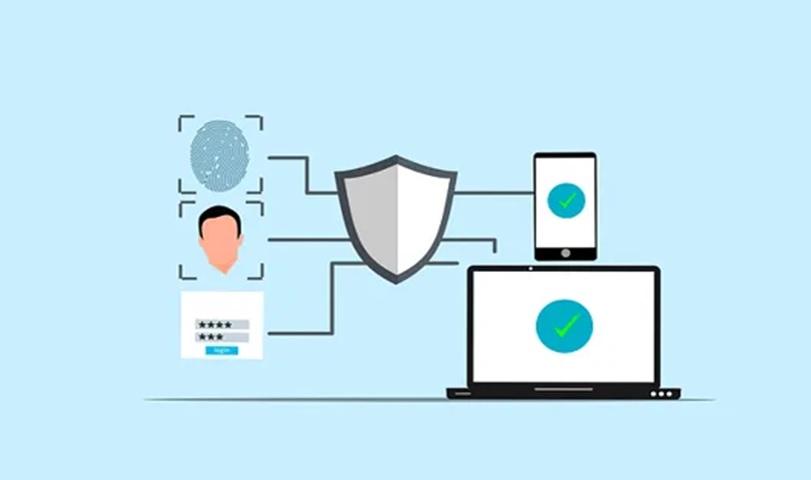
The identity provider you federate with
When you connect an external directory, its weaknesses become your AWS weaknesses. Check that multi-factor authentication is enforced at the identity provider for every group that receives a permission set, since Identity Center will honour whatever assertion arrives. Review SCIM provisioning to confirm that leavers are actually deprovisioned, because a sync that silently failed six months ago leaves accounts active. Confirm that the groups used for AWS access are managed separately from general staff groups, as a joiner process that adds everyone to a broad group can quietly grant cloud access nobody intended. This part of AWS cloud penetration testing usually takes longer than the account review itself.
Logging that tells you what happened
You should be able to answer who assumed which role, in which account, at what time. That means CloudTrail organisation trails delivering to a separate logging account, with the sign-in events from Identity Center included and retained long enough to investigate. Test the answer rather than the configuration: pick a role assumption from last month and try to reconstruct it. Teams that cannot do this discover the gap during an incident, which is the worst moment for it. If you are planning this work, arrange a penetration testing quote that names Identity Center in the scope, because a generic cloud review often stops at the account boundary.
Frequently asked questions about IAM Identity Center
Two questions come up whenever an organisation moves off long-lived IAM users.
Is Identity Center more secure than IAM users?
Generally yes, because credentials become temporary and central. The trade is concentration: one service now governs access everywhere, so its configuration deserves proportionate scrutiny.
Should any IAM users remain?
A small number, for emergency access and for systems that cannot federate. Keep them documented, protected with hardware multi-factor authentication, and alerted on whenever they are used.
